RULE 05
Build a complete plan for the environment—not one universal loadout
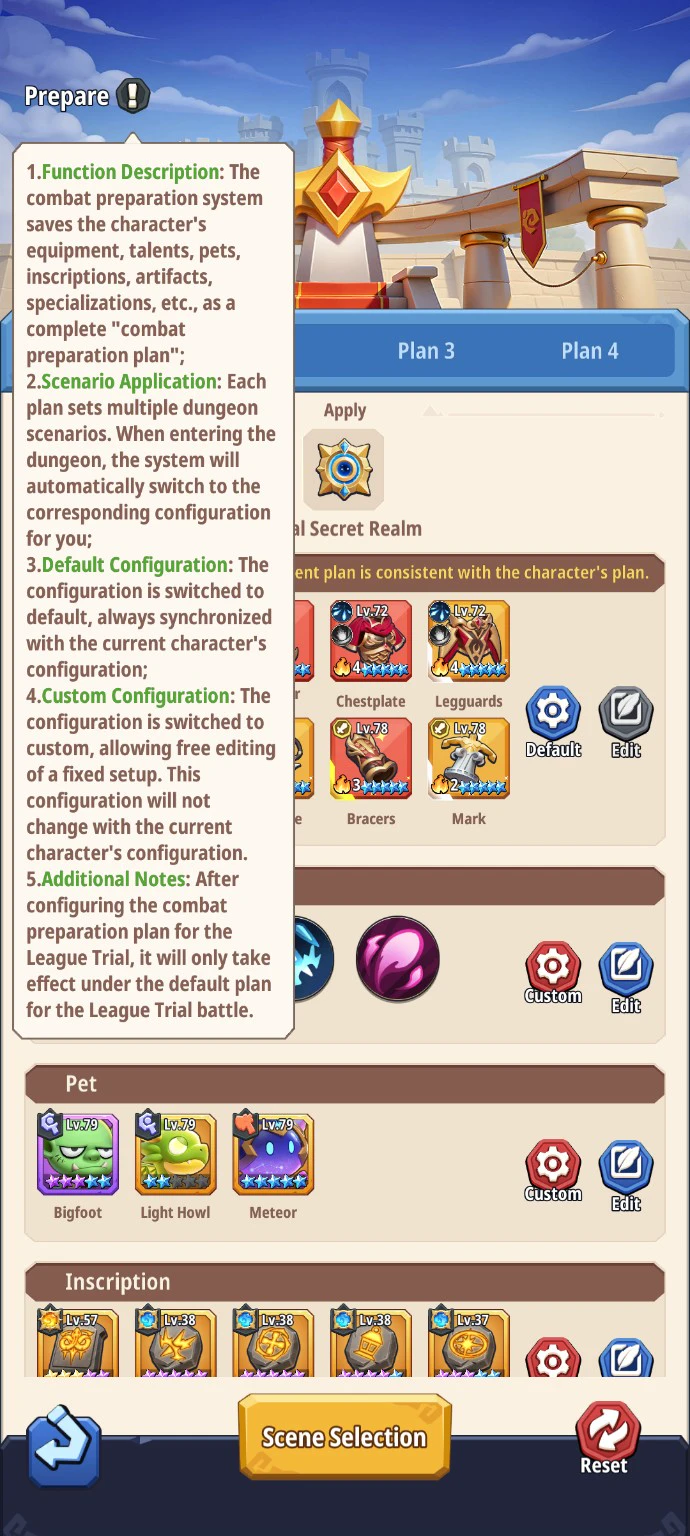
Combat Preparation saves far more than equipment. It can switch gear, talents, pets, inscriptions, artifacts, specializations and other settings when you enter an assigned dungeon.
 Open the full game screen
The rule
What you need to know
A Combat Preparation plan saves the character’s equipment, talents, pets, inscriptions, artifacts, specializations and other settings as one complete plan.
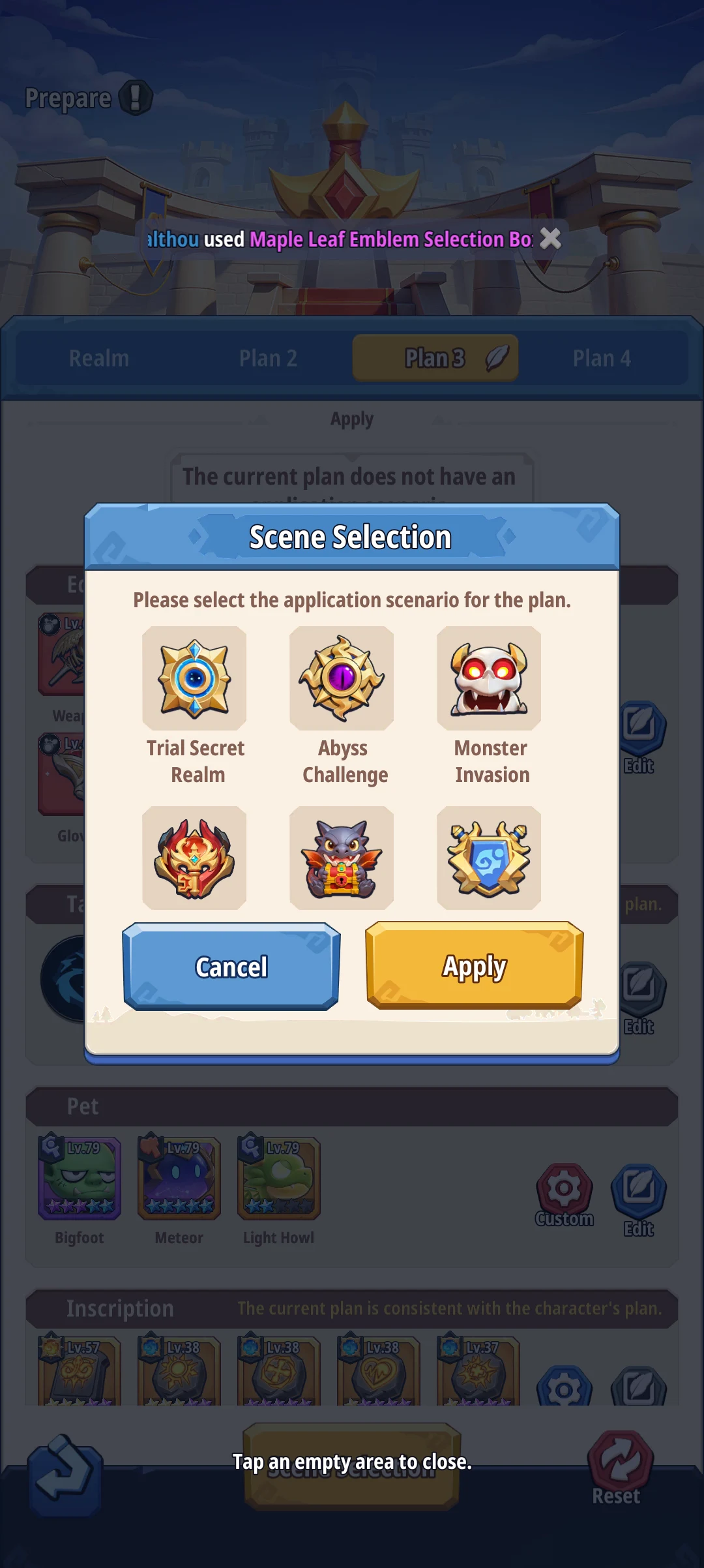
A plan can cover multiple dungeon scenarios. When you enter an assigned dungeon, the game automatically switches to that plan’s corresponding configuration.
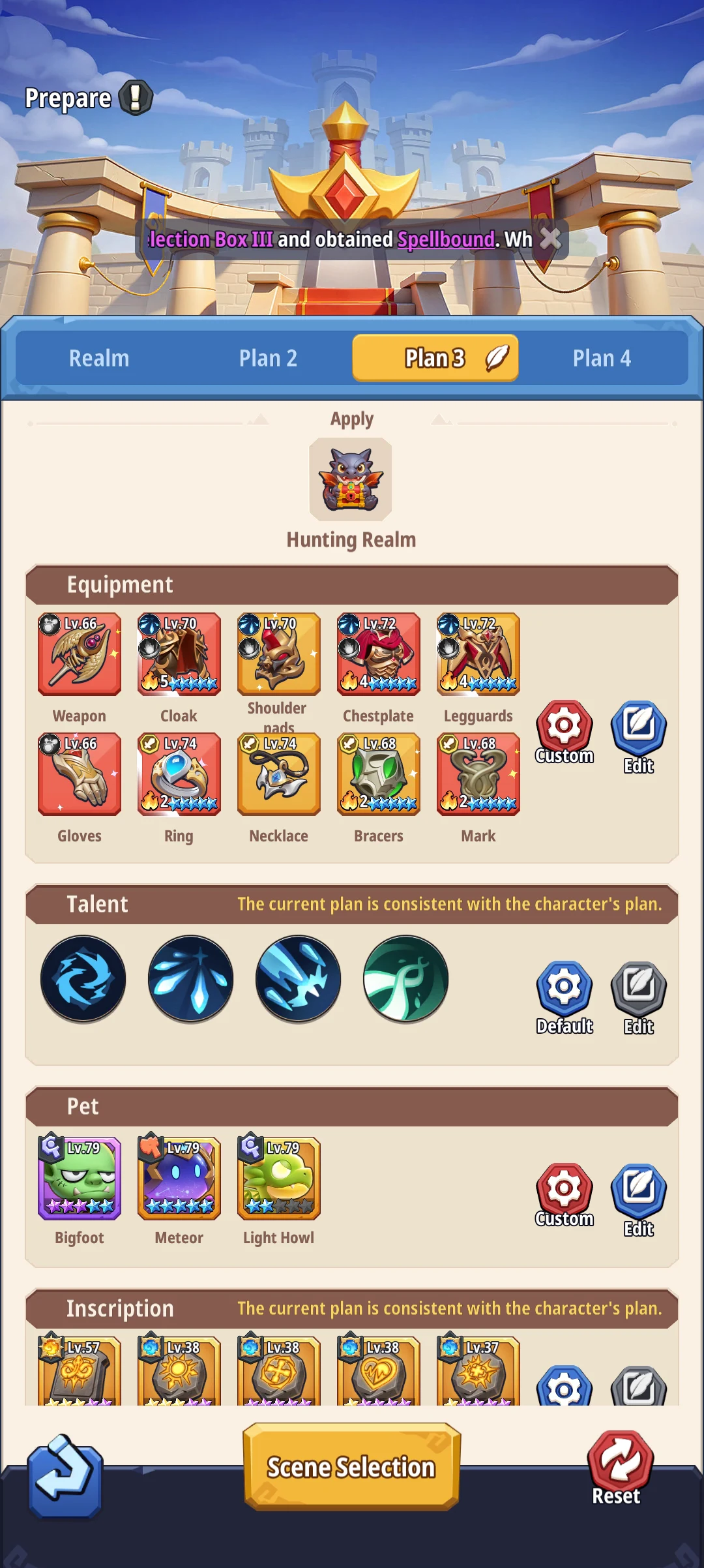
A section set to Default remains synchronized with the character’s current configuration. A section set to Custom becomes a fixed setup that can be edited freely and will not follow later character changes.
League Trial has a special restriction: its Combat Preparation configuration only takes effect under the default plan during the League Trial battle.
Set up the plan
Use Default and Custom together.
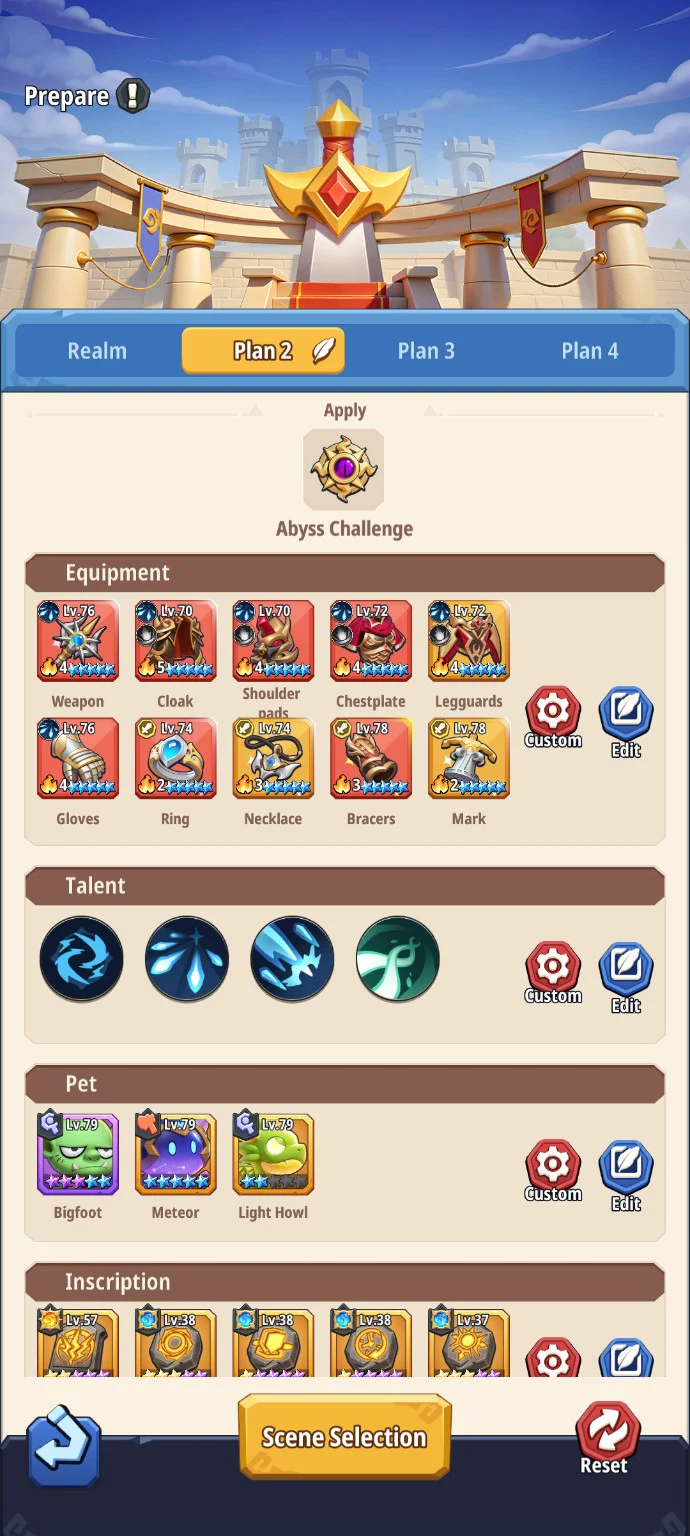
The controls appear beside each section, so one plan can keep fast-changing equipment synchronized while freezing scenario-specific talents, pets, inscriptions or artifacts.
Use it for any section that should automatically inherit the character’s latest setup.
Use it when the environment needs a deliberate configuration—and remember to maintain it after upgrades.
- 01
Open Scene Selection and attach the plan to every environment that needs the same build.
- 02
Set each category to Default when it should track the live character, or Custom when it must stay fixed.
- 03
Edit the whole package: equipment, talents, pets, inscriptions, artifacts, specialization and any other visible system.
- 04
Run the target scene once, then verify the plan name and the changed loadout inside the dungeon.
- 05
Review Custom sections whenever gear, refinements, stars, pets or inscriptions change.
Starter builds by activity
Build for what the run asks you to do.
Start here, run the stage once, then tweak the setup for your class and the fight.
Trial Secret Realm
AoE · short cooldowns · sustainStart with skills that hit groups repeatedly and enough recovery or defence for consecutive rooms. If a stage ends with a hard boss, trade one wave-clear slot for single-target pressure.
Abyss Challenge
Sustained damage · Hit/Penetration · survivalSolve the boss mechanic first and build to survive the full encounter. Against resistant targets, Hit and Penetration may matter more than adding another sheet-Attack increase.
Monster Invasion
Wide AoE · fast resets · frequent triggersUse short-cycle attacks and effects that can trigger across many targets. A fragile one-window boss rotation usually leaves too much downtime between waves.
Artifact Vault
Clear speed · mobility · consistencyBegin with a reliable farming profile that is easy to execute repeatedly. Adjust toward single-target damage only when the current floor is boss-led.
Hunting Realm
Low downtime · AoE · auto-safe sustainPrefer a stable rotation and pets or inscriptions that contribute throughout the run. Save a fragile peak-DPS setup for content with a clear boss window.
League Trial
Tested matchup plan · control · survivalPrepare for the opponents you actually face, then verify the switch in the mode. The game specifically says this configuration only takes effect under the default League Trial plan.
Make the change with a plan
Keep fast-changing parts on Default and freeze only the parts that truly need a scenario-specific setup. Test the automatic switch once before relying on it for a limited or ranked attempt.
Don’t burn resources by accident
Do not copy one highest-rating build into every scene. A fixed Custom section can quietly become outdated after upgrades, while League Trial follows its own default-plan rule.
Game screens